Hardening Azure: Why Disabling App Registrations Isn't Enough to Stop OAuth Phishing
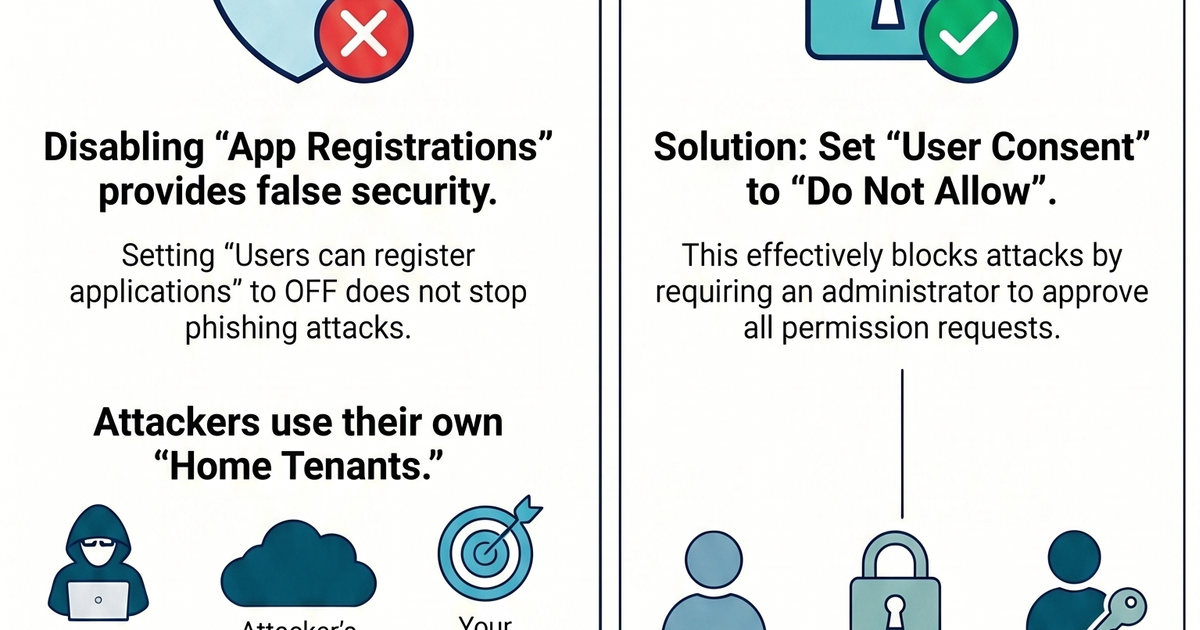
Many organizations set "Users can register applications" to No, assuming this stops users from interacting with rogue apps. The Result: Our testing showed this has no impact on OAuth phishing.
In the modern threat landscape, OAuth phishing (also known as "Consent Grant Phishing") has become a preferred method for threat actors to gain initial access or maintain persistence within Azure environments. While many administrators believe that preventing users from registering their own applications is a sufficient defense, our testing reveals a critical gap in that logic.
Understanding the Threat: What is OAuth Phishing?
OAuth phishing occurs when an attacker registers a malicious application in their own Azure tenant. They then share a link, often disguised as a legitimate request for access, with a victim. If the victim clicks the link and grants the requested permissions, the attacker receives an access token, granting them a foothold in the target environment.
The Experiment: Testing Azure’s Defenses
To find the most effective configuration, we tested the impact of two primary settings within
- Microsoft Entra ID:"Users can register applications" (located in User Settings).
- "User consent settings" (located in Enterprise Applications).
The Misconception: Blocking Internal App Registrations
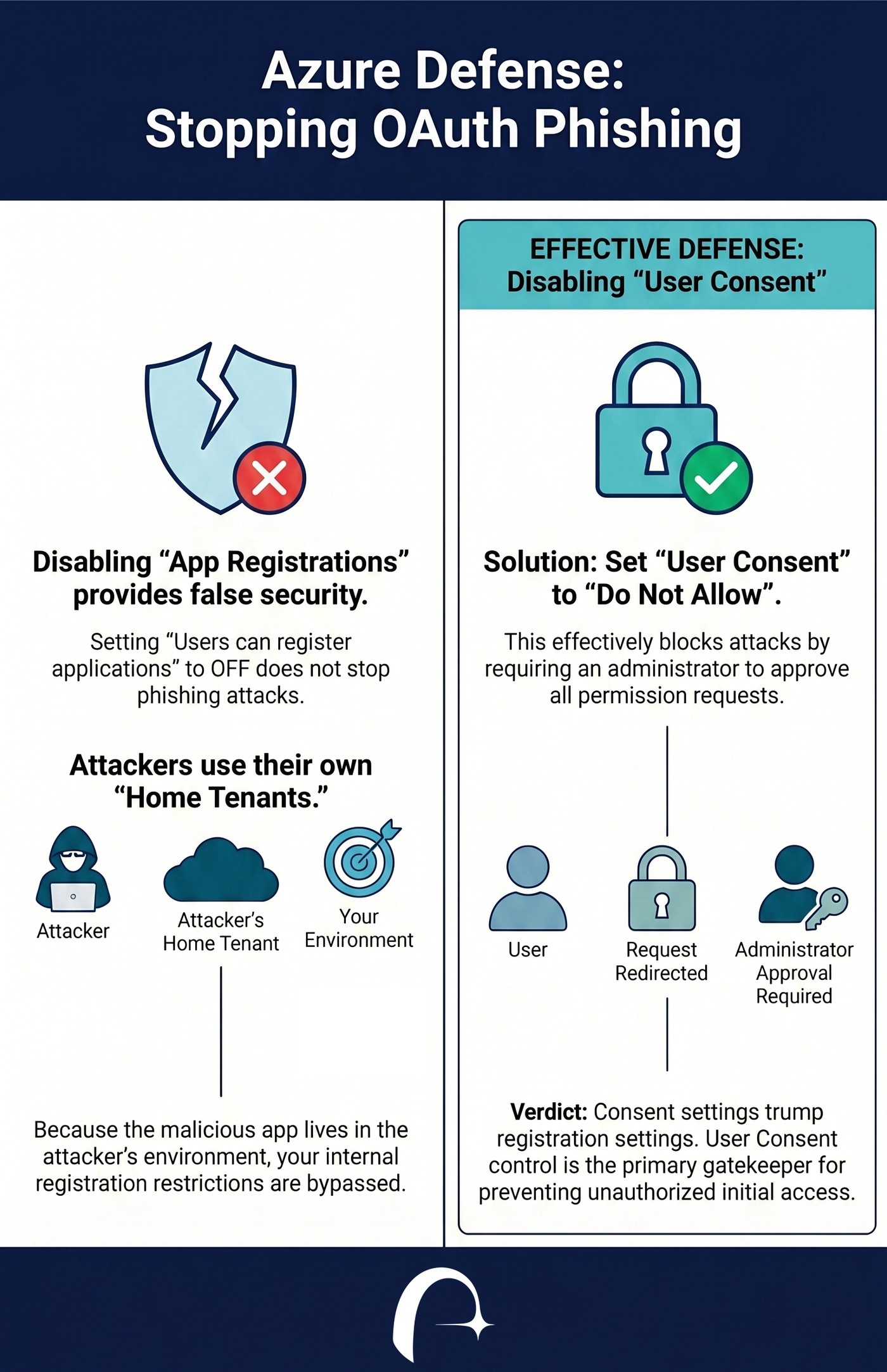
Many organizations set "Users can register applications" to No, assuming this stops users from interacting with rogue apps.
The Result: Our testing showed this has no impact on OAuth phishing. Because the attacker’s application is registered in the attacker’s tenant, the victim is still able to grant consent and hand over their token, regardless of whether they are allowed to register apps in their own environment.
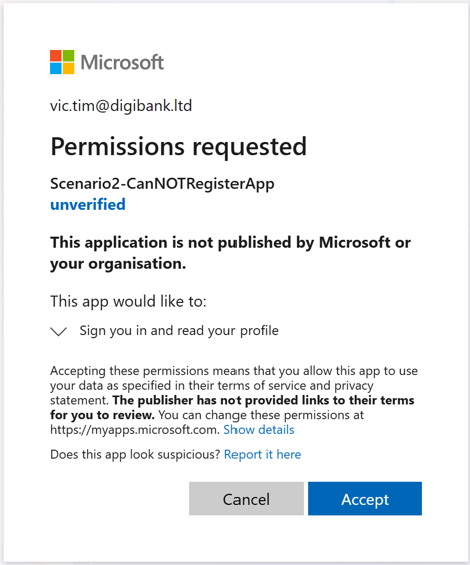
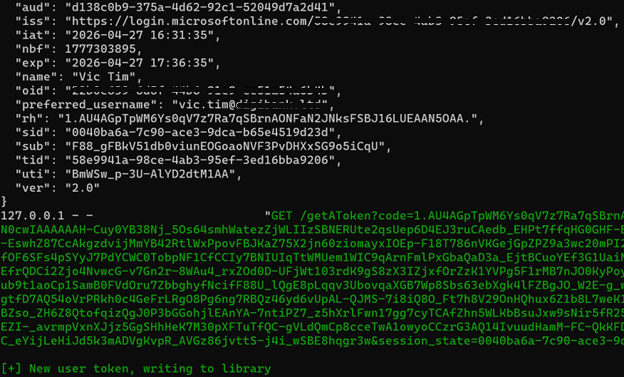
We tested two scenarios with "Users can register applications" not having any impact. In the one shown here, the defender had the setting set to No. However, it was still possible to trick the victim into visiting the "malicious" app which resulted in handing the token over to the attacker's side.
Azure Victim Side:
Azure Attacker Side:
The Solution: Managing User Consent
We then tested the "User consent settings" by switching the configuration to "Do not allow user consent".
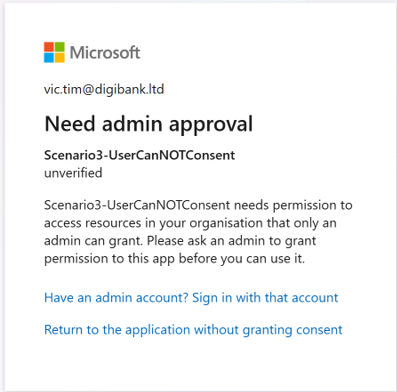
The Result: This successfully thwarted the attack.
When the victim clicked the malicious link, they were not given the option to grant permissions. Instead, they were notified that administrative approval was required, preventing the attacker from receiving a token.
Final Verdict: The Hierarchy of Defense
If your goal is to prevent initial access via OAuth phishing, the choice is clear: "Do not allow user consent" trumps "Users can register applications" every time.
While disabling internal application registrations is a good practice for reducing "shadow IT" and persistence risks, it does nothing to stop a user from falling victim to an external phishing link. To truly harden your tenant, you must enforce strict user consent policies that require admin oversight for all third-party application integrations
In the next blog post we will explore how these setting impact attacker persistence.
How Can Astra Help
Astra customers can use the built in use cases to identify any identities vulnerable to threat actors tactics and techniques.
Contact us for inquiries or a demo https://astrasec.io/#cta