01
Connect
Connect your Azure environment. We discover assets, configurations, and identity boundaries in minutes.
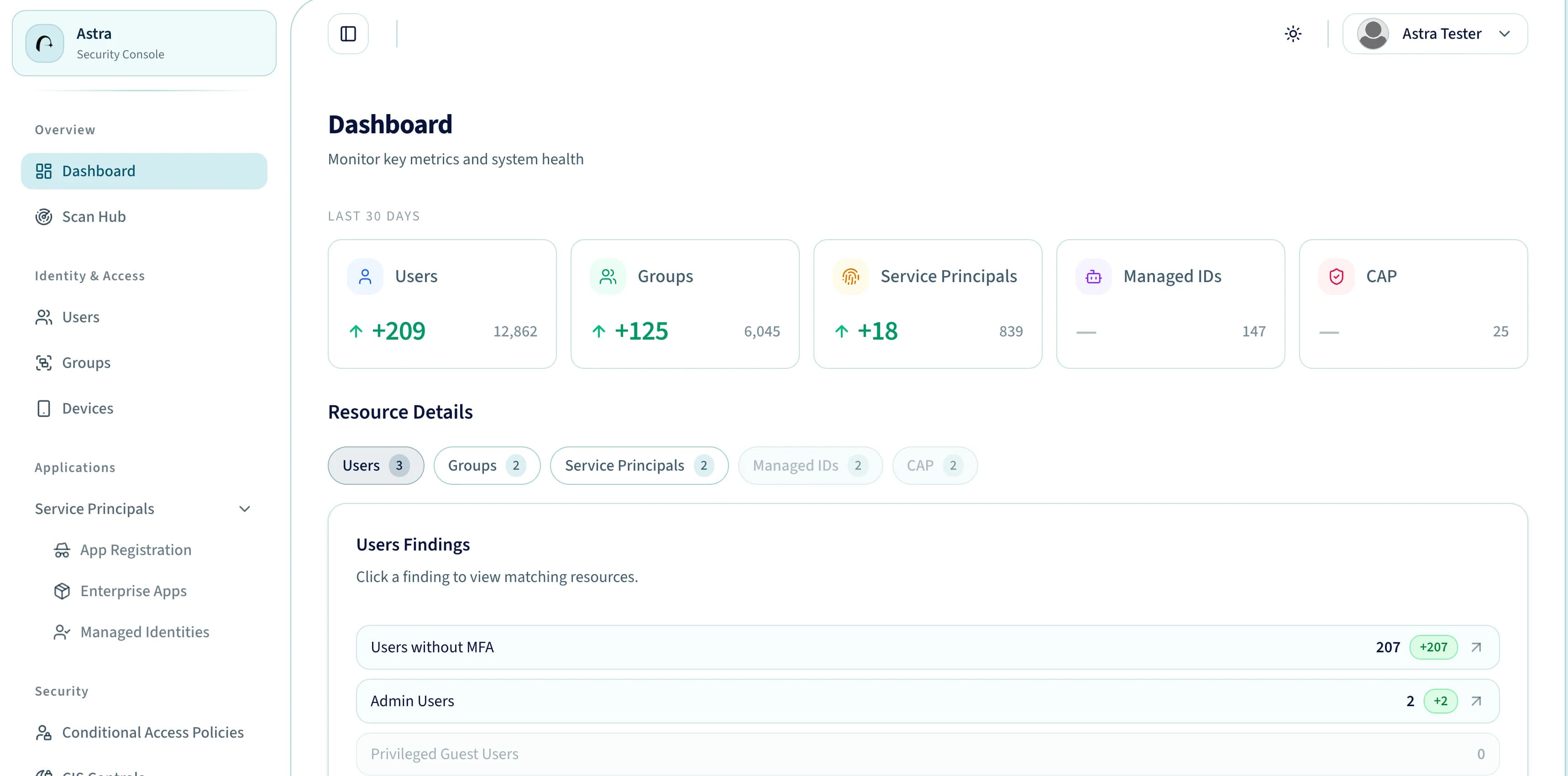
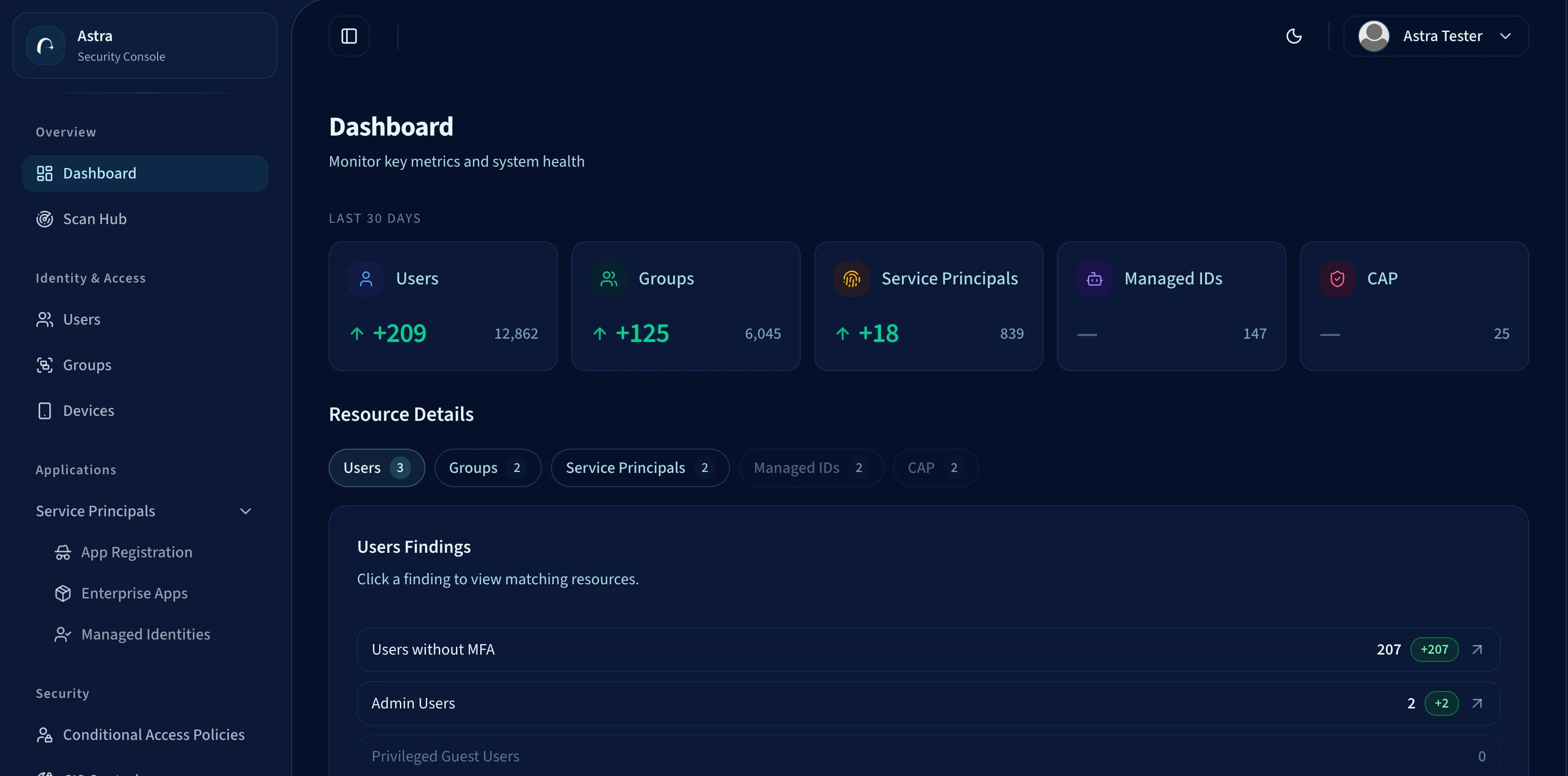
Assess users, groups, devices, applications, conditional access, managed identities, and CIS controls without bouncing across Microsoft admin portals.
Astra workspace
astrasec.io/dashboard


Azure security teams are drowning in tooling, alerts, and recommendations — without a clear path to reducing actual risk.
40%
of security team time is spent triaging alerts — not fixing the threats that actually matter.
— Industry Report
Multiple portals and security tools creating confusion and context-switching.
Endless Microsoft recommendations with no signal on what to fix first.
Chasing never-ending platform changes, updates and new feature sprawl.
Compliance scores that look good on paper but don't reflect actual exposure.
High-volume alerts with no context on whether attackers actually care.
No clear answer to: which fix will move the needle on real risk reduction?
Cut through the noise. Astra surfaces the exact misconfigurations attackers exploit and brings them into one workspace ranked by real exposure, not generic severity.
Replace every security portal with one unified view.
Findings ranked by how attackers actually exploit them.
Track impactful remediation. No generic security score.
Exposure overview
24
threat-ranked gaps surfaced across your tenant
Connect
Tenant linked
Assess
Signals ranked
Prioritize
Fixes ready
Scan users and identities
Privileged roles, stale identities, and MFA posture are mapped for review.
Benchmark CIS controls
Benchmark checks are matched against tenant posture and queued for analysis.
Prioritize app exposure
Enterprise apps, delegated grants, and policy paths are surfaced together.
Astra brings together the real Microsoft surfaces teams need to review today: users, groups, devices, app registrations, enterprise apps, managed identities, conditional access, and CIS controls in one assessment workflow.
Start with one tenant-wide view of the surfaces Astra already scans and summarizes for your Microsoft environment.
Review privileged users, guest exposure, MFA gaps, and admin-heavy identity posture from a single workflow.
Track group membership drift and inspect app registrations, enterprise apps, and workload identities together.
Bring registered and compliant device visibility into the same assessment flow as identity and applications.
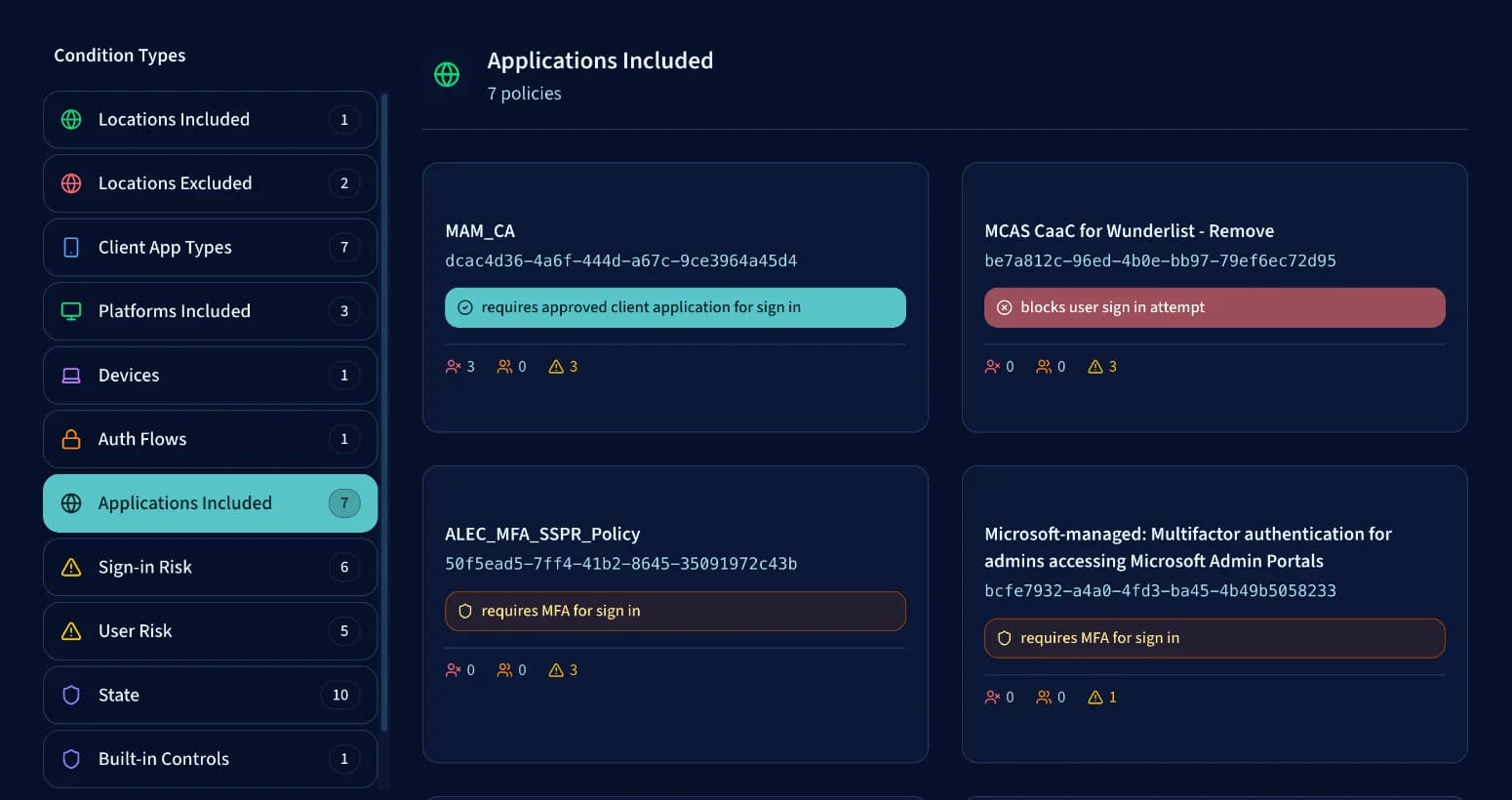
Inspect conditional access policies alongside service principal posture so auth controls and workload identities are reviewed together.
Monitor passed and failed CIS controls in the same dashboard you use for identity and app remediation priorities.
A clear, repeatable process that turns threat intelligence into actionable security outcomes.
Connect your Azure environment. We discover assets, configurations, and identity boundaries in minutes.
Our TTP-based engine maps your posture against Azure-specific attack techniques used by real threat actors.
Get a threat-ranked view. Focus on the findings that matter most to attackers, not generic severity scores.
Follow guided steps and integrate with ITSM or Azure DevOps to close risk and track reduction over time.
Next Step
We will walk through your Azure exposure paths and the fastest remediation plan.
Share a few details and we'll line up a focused walkthrough of the Astra assessment workflow, tailored to your tenant, priorities, and exposure areas.
No spam, no SDR loop, just a focused security conversation.
Tell us where to send the scan details
Tell us a bit about your environment and we will set up a focused walkthrough around the Microsoft exposure areas you care about.
A quick overview of what Astra covers today, how it fits into Microsoft Entra and Azure review workflows, and what teams can expect from the assessment experience.