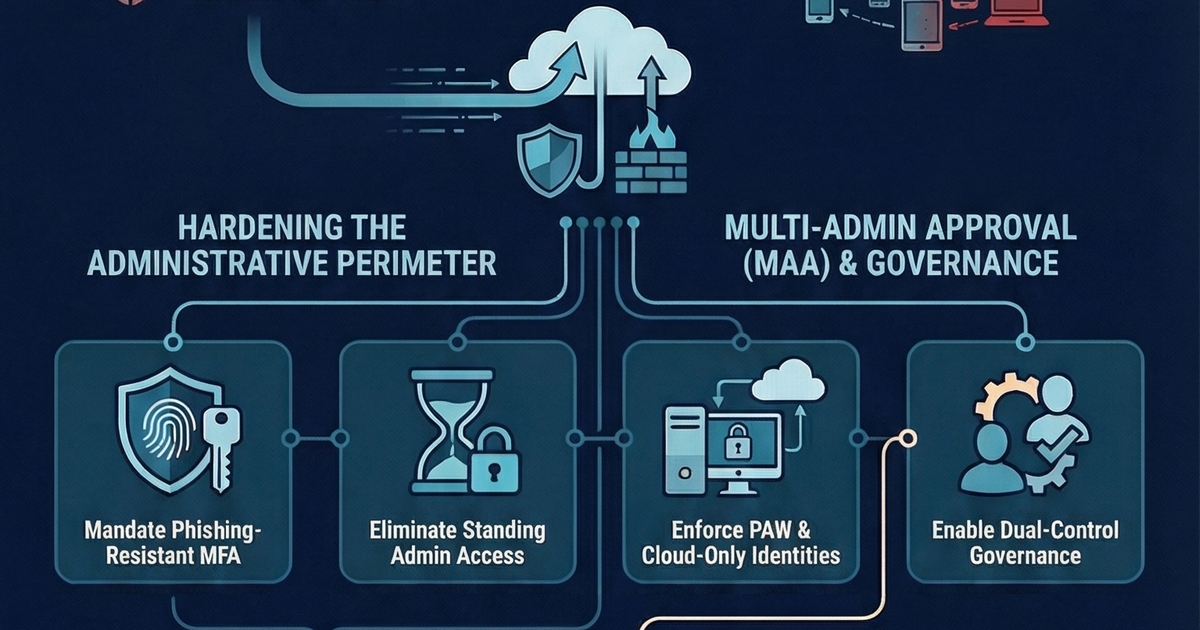
Closing MAA Loopholes: Practical Steps to Protect Intune Admins
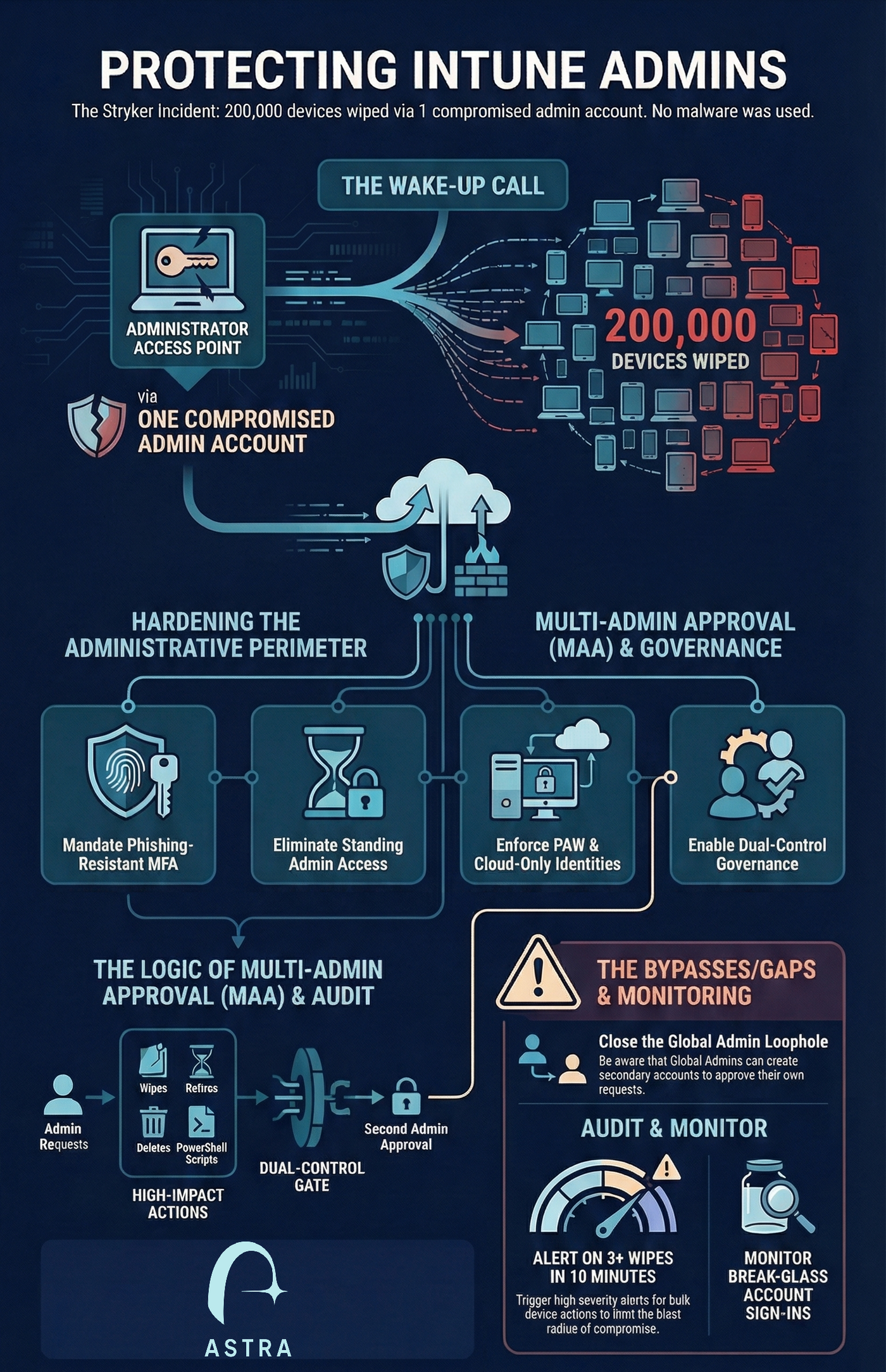
We previously detailed how a pro-Iran hacktivist group compromised a single administrative account and weaponized legitimate Microsoft Intune features to remotely wipe over 200,000 devices across 79 countries. In this post we detail what admins can do to protect themselves and what loopholes they should be aware of.
The 2026 Stryker incident serves as a critical warning for organizations relying on cloud-based management planes.
In the previous blog post, we detailed how a pro-Iran hacktivist group compromised a single administrative account and weaponized legitimate Microsoft Intune features to remotely wipe over 200,000 devices across 79 countries. Because the attackers used authorized administrative functions like the "Wipe" command, traditional endpoint detection (EDR) and antivirus failed to trigger alerts.
To protect your environment from becoming the next victim of "Living-off-the-SaaS" destruction, implement the following practical steps.
Practical Steps to Harden Intune Administration
- Enforce Phishing-Resistant MFA: Move beyond SMS and mobile push notifications, which are vulnerable to session token theft and Adversary-in-the-Middle (AiTM) attacks. Mandate FIDO2 security keys, Windows Hello for Business, or Certificate-Based Authentication for all admins.
- Use Cloud-Only Admin Accounts: Never sync administrative identities from on-premises Active Directory. Use dedicated cloud-only accounts (e.g., admin@tenant.onmicrosoft.com) to ensure an on-premises compromise cannot pivot into your cloud tenant.
- Implement Privileged Identity Management (PIM): Eliminate standing administrative access. Require admins to "activate" their roles for a limited duration (e.g., 4 hours) with a mandatory business justification and approval.
- Adopt Privileged Access Workstations (PAWs): Restrict administrative portal access to hardened, dedicated devices. Use Conditional Access policies to hard-block logins from unmanaged or non-compliant devices.
- Strictly Segregate Admin Duties: Admins should not have a mailbox or access to apps like Teams or Slack on their privileged accounts to eliminate common phishing vectors.
- Utilize Scope Tags and RBAC: Avoid the "Global Administrator" role for daily tasks. Use Scope Tags to limit an admin's visibility and control to specific regions, departments, or device types.
Multi-Admin Approval (MAA): The Critical Safeguard
Multi-Admin Approval is the primary defense against "actions of mass destruction" by requiring a second, independent administrator to approve a high-impact change before it is applied.
- Protect Destructive Actions: Enable MAA immediately for Device Wipes, Retires, Deletes, and PowerShell Script deployments.
- Role and Policy Governance: Protect the RBAC system itself and the Access Policies that govern MAA so a single attacker cannot simply disable the protections.
The Multi-Admin Approval Gaps and Bypasses
While MAA is a powerful deterrent, it is not a silver bullet and contains specific loopholes that must be addressed:
- The Global Admin Loophole: A compromised Global Administrator (GA) can effectively bypass the intent of MAA by creating a second administrative account and then using that second account to approve their own destructive requests.
- Two-Account Compromise: If an attacker compromises both an admin and an authorized approver (e.g., through session theft of multiple users), they can satisfy the dual-control requirement.
- Lack of Real-time Alerting: Intune currently does not send notifications when a new MAA request is created. Approvers must manually check the portal, which can lead to operational delays or missed unauthorized requests.
- The "standing group" drift: Approver groups must be members of an Intune role assignment; if this configuration is not maintained, members may be periodically removed, potentially leaving the environment without valid approvers.
Proactive Monitoring for Destruction
Detection must shift from endpoint telemetry to identity and cloud activity monitoring.
- Alert on Bulk Wipes: Configure your SIEM (e.g., Microsoft Sentinel) to trigger high-severity alerts when a single identity initiates more than 3 wipes or retires within a 10-minute window.
- Monitor Privileged Accounts: Ensure any login to privileged account triggers immediate notifications to security leadership.
- Audit Graph API Activity: Watch for anomalous calls to sensitive endpoints like DeviceManagementConfiguration.ReadWrite.All, which allow for fleet-wide command execution.
How Can Astra Help
Astra customers can use the built in use cases to identify any gaps in your Intune configuration or policies.
Contact us for inquiries or a demo https://astrasec.io/#cta