Application Vs. Delegated and How Microsoft Entra Workload Identities Get Abused
The Red Team was silently reading the SOC emails to monitor whether their malicious activity had been detected. They did this by compromising a workload identity and logging into to Entra as the identity.
When securing Microsoft Entra ID, most security teams spend their energy configuring user-focused controls: enforcing Multi-Factor Authentication (MFA), setting up risk-based sign-in policies, and blocking legacy authentication.
But there is a massive back door in this defensive posture. While they are busy hardening user logins, sophisticated threat actors are targeting a silent, highly privileged class of assets: workload identities.
In CISA’s recent concurrent assessments (A Tale of Two SOCs: Red Team Assessment Insights), the red team exploited over-privileged applications to gain persistent, silent access to sensitive corporate data; completely bypassing traditional user-centric security controls. Here is a technical breakdown of how they did it, and how you can stop them.
Delegated vs. Application Permissions
To understand how this attack works, we must first understand how Entra ID application permissions operate. Microsoft Entra ID categorizes application access into two types:
- Delegated Permissions: These require a signed-in user. The application can only access resources that the logged-in user itself is permitted to see.
- Application Permissions: These allow the application to access resources directly, without any signed-in user present. The application operates with its own identity, using predefined roles that grant broad, tenant-wide access to data.
Because Application permissions run silently in the background (such as for automated backup or mail-archiving tools), they bypass traditional Conditional Access Policies (CAPs). This means if an attacker compromises an application with high-privilege Application permissions, they can access tenant data from the public internet without triggering user MFA prompts or location blocks.
Step-by-Step: The Anatomy of a Workload Identity Takeover
During the assessment of Organization A, CISA’s red team successfully executed a multi-stage attack chain to hijack an application and spy on the Security Operations Center (SOC).
Step 1: Reconnaissance & Mapping
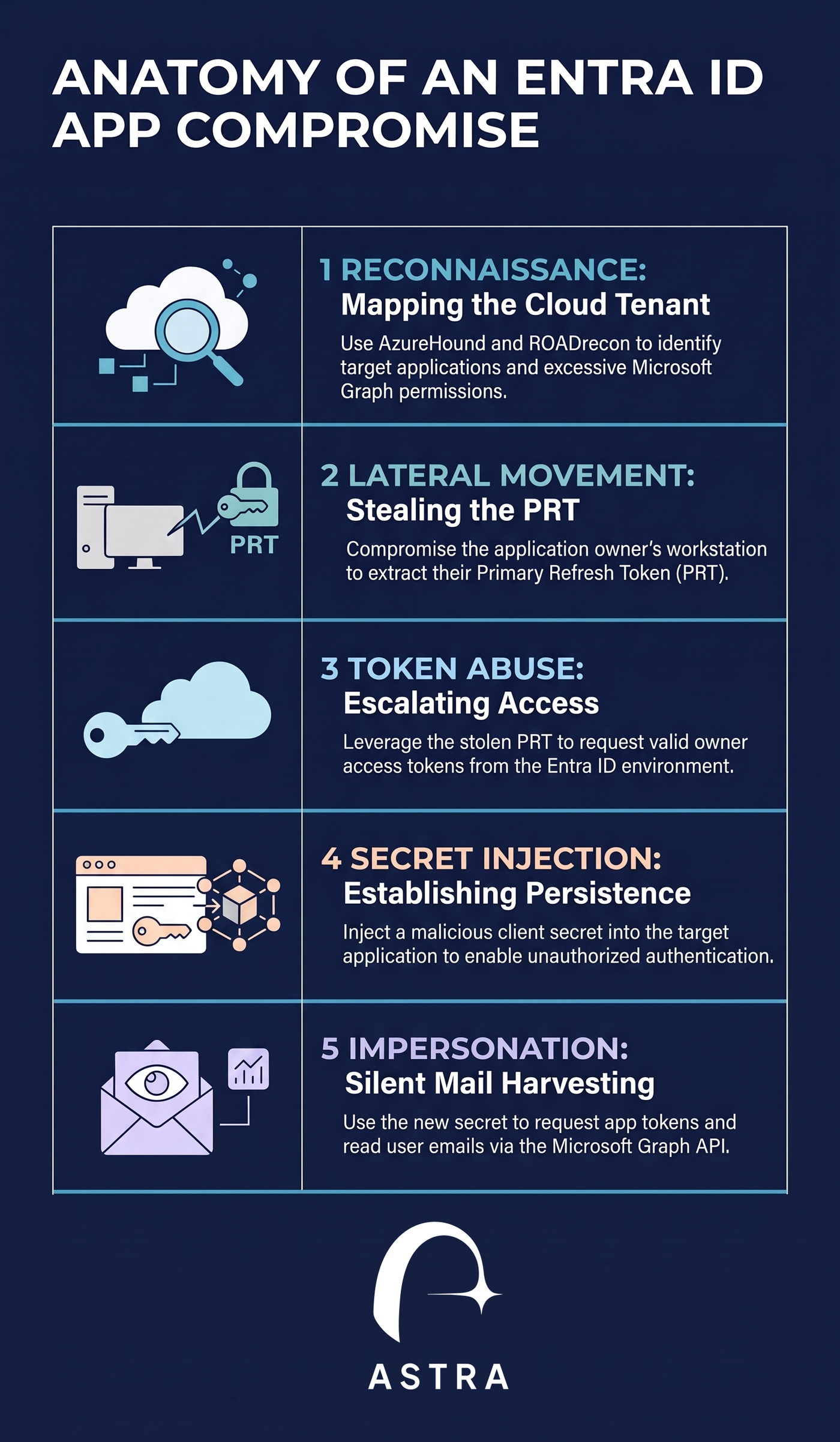
The red team began by querying the organization’s cloud environment using open-source utilities like AzureHound and ROADrecon. This allowed them to gather a complete map of the tenant's registered applications, their associated permissions, and their registered owners.
They specifically looked for applications granted high-impact Microsoft Graph API permissions, including:
- Mail.Read / Mail.ReadWrite: Permissions to read or write any mailbox in the tenant.
- Application.ReadWrite.All: The ability to add new credentials (client secrets or certificates) to any registered application.
- AppRoleAssignment.ReadWrite.All: The power to let a service principal self-grant highly privileged directory roles.
The team successfully flagged an application that held active Mail.ReadWrite permissions.
Step 2: Lateral Movement to the Owner's Workstation
An application is only as secure as the accounts that manage it. Using their mapping data, the red team identified the specific user account listed as the owner of the targeted application. They located the owner’s active session on an on-premises workstation, moved laterally to that machine, and extracted the user’s Primary Refresh Token (PRT).
The PRT is a secure, long-lived cryptographic credential issued to Windows devices to enable Seamless Single Sign-On (SSO) across enterprise cloud applications.
Step 3: Access Token Request and Secret Injection
Using the stolen PRT, the red team bypassed MFA and requested administrative access and refresh tokens for the application's owner account.
Using this owner context, the team connected to Entra ID and injected a new client secret directly into the target application. A client secret acts like a password for the application's service principal.
Step 4: Silent Cloud Escalation and Impersonation
By adding their own client secret, the red team no longer needed the user's PRT or workstation access.
From their own external infrastructure on the public internet, they used the newly created client secret to authenticate directly to Entra ID as the application. They requested a new, highly privileged access token representing the application's identity and used it to connect to the Microsoft Graph API.
Because the application held tenant-wide Mail.ReadWrite permissions, the red team was able to silently read the emails of all SOC staff to monitor whether their malicious activity had been detected.
How to Close the Loophole: The Defender's Guide
To protect your Entra ID tenant from workload identity hijack, you must treat your applications with the same rigor as your highly privileged administrative accounts.
1. Enforce Conditional Access for Workload Identities
The red team noted a significant gap in modern enterprise security: they have never observed an organization utilizing Conditional Access for workload identities.
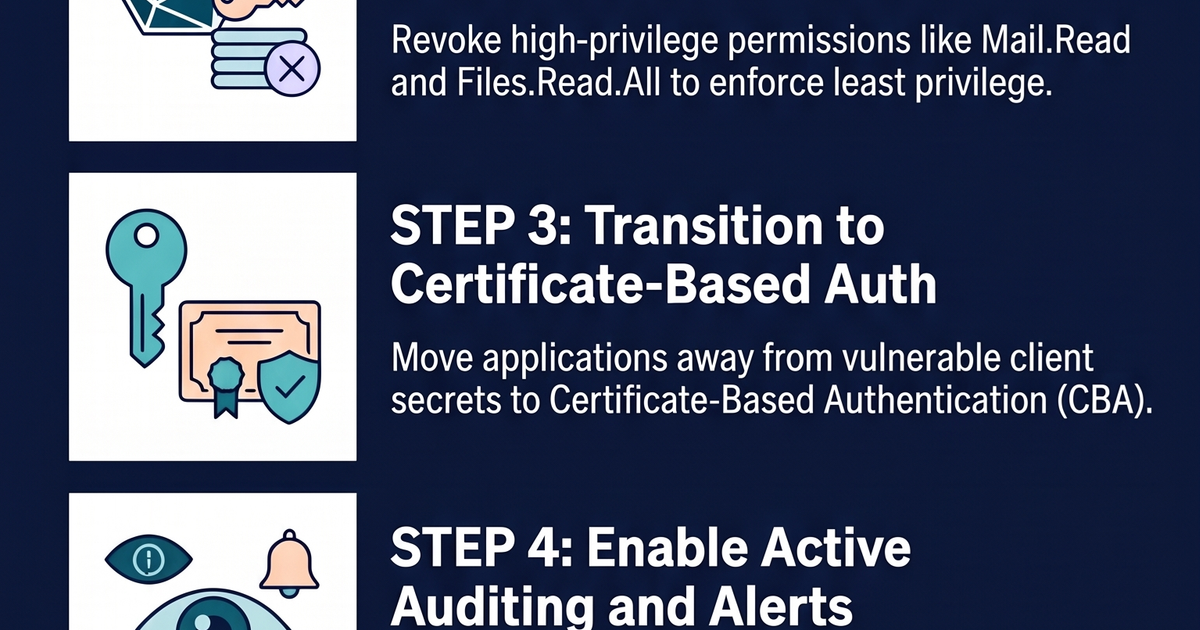
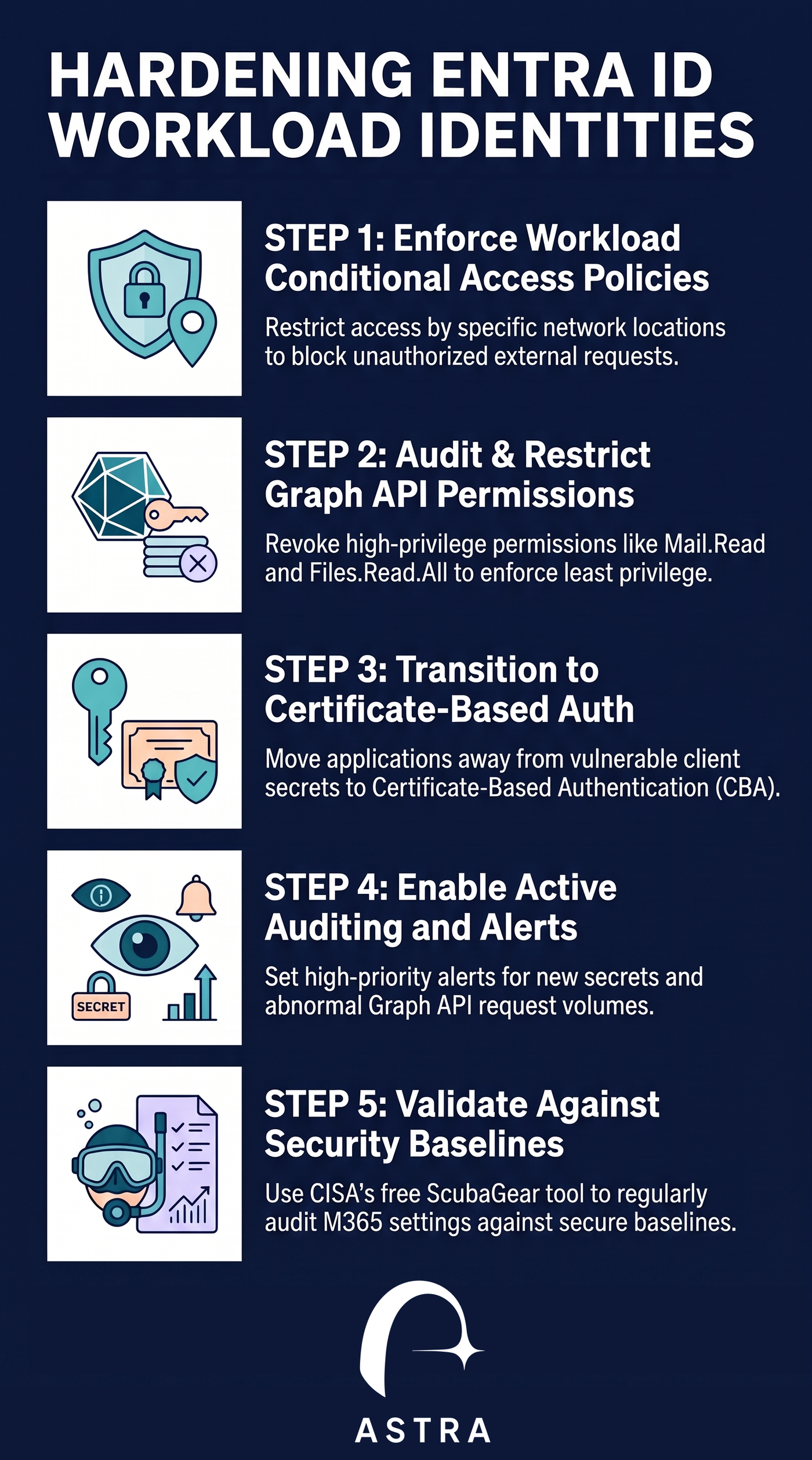
- The Fix: Do not let application service principals authenticate from anywhere. Implement Microsoft’s Conditional Access for Workload Identities to restrict service principal authentication to trusted IP ranges, compliant networks, and specific geographic boundaries.
2. Transition to Certificate-Based Authentication
Client secrets are simply static text strings. If an attacker discovers or injects one, they can abuse it indefinitely until it expires.
- The Fix: Transition your enterprise applications away from client secrets. Instead, require certificate-based authentication (CBA), utilizing secure cryptographic keys that are significantly harder for an attacker to harvest or abuse.
3. Restrict and Audit Microsoft Graph Permissions
- The Fix: Conduct a comprehensive audit of all tenant-registered applications. Look for administrative application permissions like Mail.ReadWrite, Application.ReadWrite.All, and Directory.ReadWrite.All. Enforce the principle of least privilege, stripping out any application-level permissions that are not strictly necessary for business operations.
4. Monitor for Secret Creation Anomalies
- The Fix: Set up explicit, high-priority SIEM alerts to monitor your Entra ID audit logs for the addition of new secrets or certificates to existing applications. An unexpected secret added to an active application is one of the strongest indicators of an active cloud compromise.
Summary Checklist for Cloud Defenders
- [ ] Audit your tenant using CISA's free ScubaGear tool to verify M365 and Entra configuration alignment with secure baselines.
- [ ] Implement Conditional Access Policies (CAPs) specifically for Workload Identities.
- [ ] Migrate applications from client secrets to certificate-based authentication.
- [ ] Enforce automated alerts for any newly created secrets or certificates on existing applications.
How Can Astra Help
Astra customers can use the built in use cases to identify vulnerable workload identities and other misconfiguration with a click of a button.
Contact us for inquiries or a demo https://astrasec.io/#cta